

XK-M02 Dual-Screen Ground Control Station for UGVs and Robots
Designed for unmanned ground vehicles and robots, XK-M02 brings three two-axis joysticks, eight customisable keys and two 13.3-inch displays into one portable control station. The hardware gives vehicle and payload projects separate display and physical-input resources within one terminal.
- Two Full HD displays provide space for vehicle information and a video view, with the software layout selected for your system.
- The lower screen has capacitive touch; resistive touch is an option for the upper screen.
- Intel i7-7500U, 8 GB DDR4 and a 256 GB SSD define the listed PC configuration.
- Two network ports, five USB ports and internal reserved interfaces support a configuration built around your vehicle and payload connections.
XK-M02 Dual-Screen Ground Control Station Overview
XK-M02 is intended for companies developing or supplying unmanned-vehicle and robot systems. Its three two-axis joysticks and eight customisable keys provide physical input resources for projects that need more than a touchscreen alone. The functions assigned to those controls are determined by the system configuration.
Both 13.3-inch displays are specified at 1920 × 1080 and 1000 nit. The lower screen has capacitive touch, while the upper resistive-touch option can be selected separately. This distinction matters when both display areas must accept touch input.
The aluminium-alloy housing has a hard-anodised, sandblasted finish. Xingkai checks the PC, operating system and connection requirements against your proposed vehicle and payload arrangement, then quotes the station and agreed accessories. The listed 7.8 kg station weight also helps assess how the terminal will be carried and set up.
Technical Specifications
The table describes the listed model configuration. The quotation identifies the configuration and accessories supplied.
| Parameter | Listed configuration |
|---|---|
| Application | Unmanned ground vehicles and robots |
| CPU | Intel i7-7500U |
| Memory | 8 GB DDR4 |
| Storage | 256 GB SSD |
| Displays | 2 × 13.3 in; 1920 × 1080 |
| Display brightness | 1000 nit |
| Lower touch panel | Capacitive |
| Upper touch panel | Resistive touch optional |
| Controls | 3 × two-axis joysticks; 8 customisable keys; 1 knob |
| External connections | 2 × network; 5 × USB; 2 × HDMI; 1 × SIM |
| Power input | 19 V DC |
| Internal reserved interfaces | 4 × RS232; DC 5 V / DC 12 V; 2 × USB; 1 × HDMI; 1 × LAN |
| Speakers | 2 |
| Operating-system options | Windows 10 / Windows 7 / Linux |
| Station weight | 7.8 kg |
| Operating temperature | −20 to +50 °C |
Connections and Integration
Divide vehicle-motion and payload tasks across the M02’s three two-axis joysticks and eight customisable keys, with the accepted vehicle/controller interfaces identified. List which terminals need its network/USB connections or four internal reserved RS232 interfaces.
For an internal module, state the 5 V or 12 V power requirement and required connections. Xingkai checks the terminal allocation and control arrangement, then quotes the selected ports, internal-module wiring and accessories for that vehicle/payload configuration.

Configure and Order Your Station
For your XK-M02 enquiry, specify the vehicle and payload interfaces, control assignments, operating system and required station quantities. Xingkai checks the model and configuration, then provides a quotation for the station and agreed accessories.
Confirm the supplied configuration, quantities and delivery terms before ordering. These agreed details form the basis for supply and dispatch.
Send the M02 vehicle-motion and payload assignments, operating system, lower-screen touch tasks and any upper resistive-touch requirement. Identify the 19 V external supply and modules using the internal 5 V/12 V resources, with station quantities.
Xingkai checks the selected M02 screens, joystick/key mapping and module connections, then quotes the station and required power/interface accessories. The configuration identifies the upper touch option, control-mapping scope and external versus internal power arrangements as separate items.
Agree on the supplied configuration, quantities and delivery terms.
Xingkai arranges supply and dispatch according to the confirmed order.
FAQs
The source identifies them as internal reserved interfaces, rather than four completed external sockets. Name the serial devices that need field connections and ask which RS232 interfaces will be brought outside for the supplied M02. Request the connector locations, mating-connector identities and harness items, with the assembly responsibility identified. Agree that external-connection plan before ordering field cables; the internal port count alone does not define accessible sockets or their pin assignment.
Describe the actions required on each display and provide the operating system and application version. The lower panel is capacitive and the optional upper panel is resistive, so request the input/driver arrangement and any setup instructions for the selected two-screen configuration. Identify which functions must remain accessible when working on the other display. Selecting the upper touch option does not by itself establish the application’s touch behaviour across both screens.
Provide a separate function and interface list for each payload, showing how the M02 joysticks and keys must be assigned. Request identification of the corresponding application/mapping version and who configures it for each arrangement. The three two-axis joysticks are shared hardware resources, not evidence that one mapping suits every payload. Have the proposed arrangements identified before deciding to reuse one station or allocate stations to different payload setups.
No. A SIM connection is a hardware listing; it does not establish the supplied cellular module, supported bands, carrier service or data plan. State the country, intended network and required modem arrangement if cellular connectivity is part of the project. The quotation should identify any included communication hardware, while the service and subscription scope must be agreed separately.
List each module’s voltage and current requirement and request the permitted load for each internal power connection. The M02 lists 19 V station input and internal 5 V/12 V resources, without establishing a complete module-load budget. Have the proposed adapter or battery arrangement, power harnesses and customer-owned components identified against that combined load. Obtain the applicable ratings before selecting a source or using a duration claim for the expanded installation.
Compare Related Models

Compare a 15.6-inch upper display and 12.1-inch lower display with standard and upgrade PC configurations.

Compare a handheld Windows PC terminal with a 10.1-inch capacitive touchscreen and physical controls.
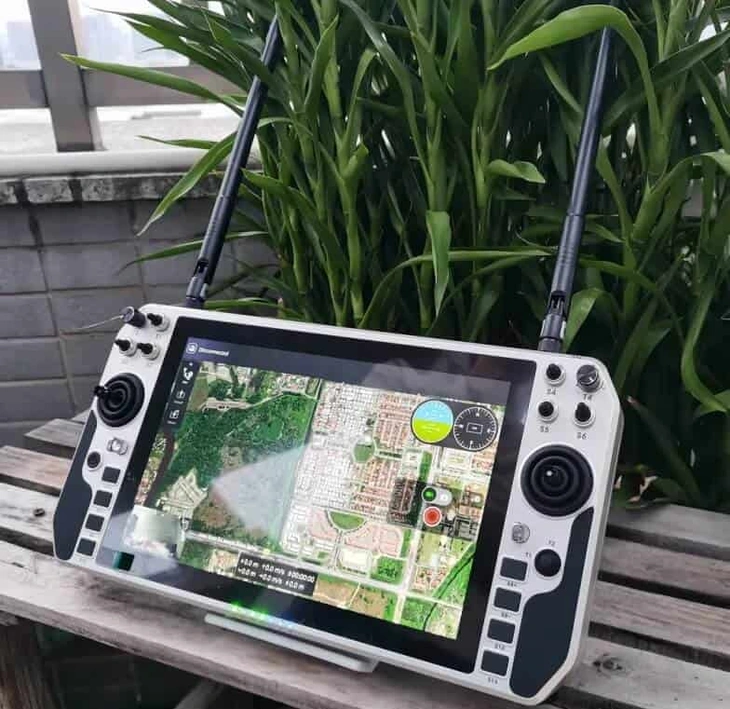
Compare the separately listed handheld model with a 10.1-inch display and 18 control channels.
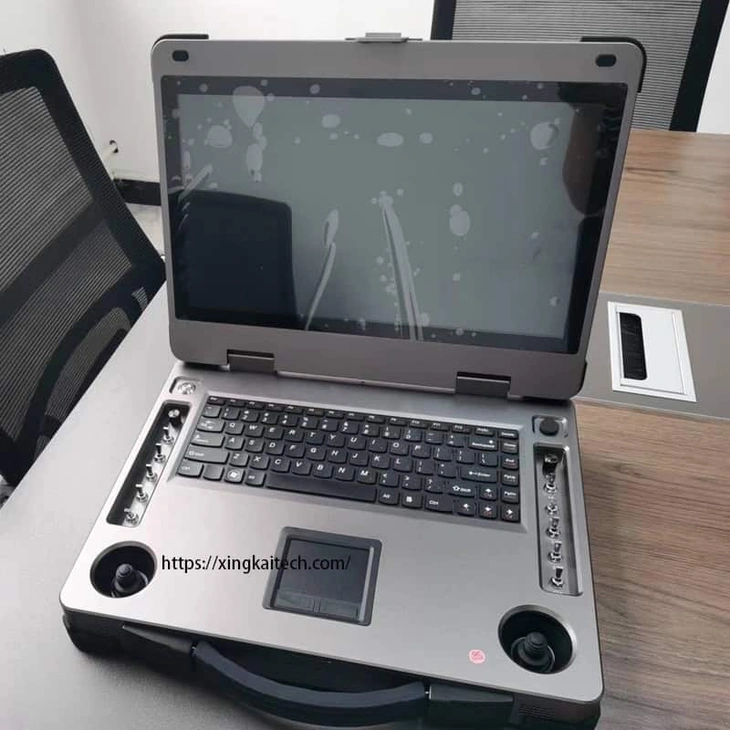
Consider a single 15.6-inch display and physical controls when a dual-screen layout is unnecessary.
Request a Configuration Quote for XK-M02
Tell us the vehicle and payload interfaces, control assignments, operating system and required station quantities. Identify any radio, air unit, cables or other accessories you want included. Xingkai checks the proposed XK-M02 configuration and provides a quotation.