
XK-G21 Dual-Screen Ground Control Station
XK-G21 combines a 15.6-inch upper display, a 12.1-inch lower display and physical controls in one portable ground station. For companies building an unmanned-system control terminal, the two screens give mission information and video separate display areas while joysticks and switches remain within reach.
- Two 10-point capacitive touchscreens support on-screen input alongside the physical controls.
- Dual SBUS with 18 channels and USB-HID output provide distinct control connection options.
- Standard seventh-generation Intel i5, 4 GB RAM and 128 GB SSD; higher CPU, memory and storage configurations are selected separately.
- A 140 × 70 × 27 mm internal reserved space and 12 V output rated up to 3 A provide defined references for a proposed data-link installation.
XK-G21 Dual-Screen Ground Control Station Overview
The upper 15.6-inch screen is specified at 1920 × 1080, while the lower 12.1-inch screen is 1280 × 800. This layout suits projects that need a video view and a separate mission interface without adding another freestanding display. The arrangement of those views depends on the selected software.
XK-G21 pairs its touchscreens with two flight joysticks, a central Hall joystick, switches and knobs. The aluminium-alloy enclosure includes silicone protection; its listed 7.9 kg weight is a consideration when comparing it with a handheld station.
Xingkai checks the required operating-system and PC configuration, control connection and proposed link installation, then provides a model-specific quotation. Standard PC specifications and available upgrades are distinguished below so the quotation can identify the configuration your project requires.
Technical Specifications
The table describes the listed model configuration. The quotation identifies the configuration and accessories supplied.
| Parameter | Listed configuration |
|---|---|
| Upper display | 15.6 in; 1920 × 1080 |
| Lower display | 12.1 in; 1280 × 800 |
| Touch input | 10-point capacitive touch |
| Display brightness | 1000 nit |
| CPU | 7th-generation Intel i3/i5/i7; standard i5 |
| RAM | Standard 4 GB; up to 16 GB |
| SSD | Standard 128 GB; up to 3 TB |
| Graphics | Intel HD Graphics 620 |
| Operating-system options | Windows 7 / Windows 10 / Linux |
| Control outputs | 18 channels; dual SBUS; USB-HID |
| External ports | 2 × USB 3.0; 1 × LAN; 1 × HDMI output |
| Internal reserved interfaces | 2 × USB; 6 × RS232/RS422/RS485 |
| Reserved installation space | 140 × 70 × 27 mm |
| Reserved power output | 12 V; maximum 3 A |
| Battery | 16.8 V; 12 Ah |
| Dimensions | 462 × 256 × 75 mm |
| Weight | 7.9 kg |
| Operating temperature | −10 to +60 °C |
Connections and Integration
Control output and video connections perform different jobs. Dual SBUS and USB-HID connect the physical controls to the chosen system, while the external HDMI connection is listed as an output. Ethernet provides a separate network path.
The reserved internal space and 12 V, maximum 3 A output help define a possible radio installation. Xingkai checks the proposed module, connectors and cabling for the quotation; a reserved bay does not establish that a radio or matching air unit is included.

Configure and Order Your Station
Use the G21 standard i5, 4 GB RAM and 128 GB SSD as the starting PC reference; specify another requested PC configuration separately. The quotation identifies the chosen control output and any equipment fitted in the reserved bay.
Send the operating system, required PC configuration, SBUS or USB-HID choice, proposed link-module specification and station quantities. Include its installation requirements for comparison with the 140 × 70 × 27 mm reserved space and 12 V, maximum 3 A output.
Xingkai checks the selected G21 PC, control connection and proposed module against the bay and power references, then quotes the station and installation accessories. The equipment list identifies any supplied radio module and distinguishes it from customer-owned equipment.
Agree on the supplied configuration, quantities and delivery terms.
Xingkai arranges supply and dispatch according to the confirmed order.
FAQs
Give the CPU requirement, required RAM capacity and SSD capacity as separate entries, together with the operating system and application version. An enquiry that says only “maximum configuration” leaves those choices unclear and can combine options the project does not need. Xingkai identifies the selected components in the quotation; check that component list against your application requirements before confirming the order.
The external socket is specified as HDMI output, so that listing does not establish a camera-video input. The product also lists HDMI or network video access, but the required input arrangement must be identified separately. Send the receiver or camera output type and the software you intend to use; Xingkai checks the proposed path and any additional interface equipment.
Two screens provide two display areas; they do not establish a particular software layout or application licence. Specify the application, version and the views you want on each screen. The chosen operating system and software must support that arrangement. Xingkai uses those requirements in the configuration quotation, without assuming mission software or licences are included.
A dimensional fit is only one part of the check. Send the radio's full model, dimensions including connectors, supply voltage and electrical load, together with its control and network connections. The reserved space and power-output rating provide references for that comparison. Xingkai checks the proposed installation; a physical fit does not establish radio pairing or protocol compatibility.
The same model name does not establish an interchangeable replacement. Provide the existing station’s PC and operating-system configuration, control-output format, application and radio identification, plus hardware or firmware details where available. Xingkai checks the requested replacement configuration before quoting it. If the order covers several stations, specify which existing system each one must match rather than relying only on a total quantity.
Compare Related Models

Consider three two-axis joysticks and two 13.3-inch displays for unmanned ground vehicle and robot projects.

Compare a handheld Windows PC terminal with a 10.1-inch capacitive touchscreen and physical controls.
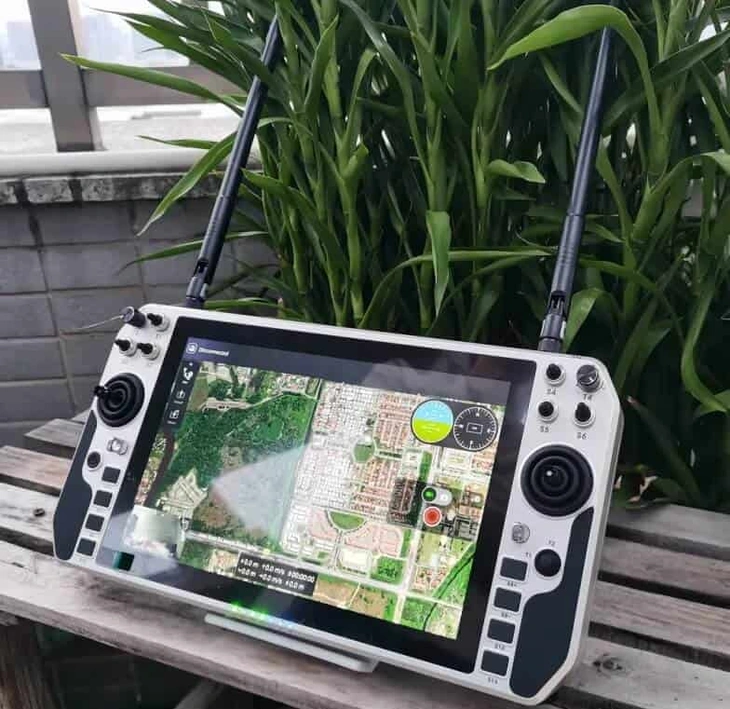
Compare the separately listed handheld model with a 10.1-inch display and 18 control channels.
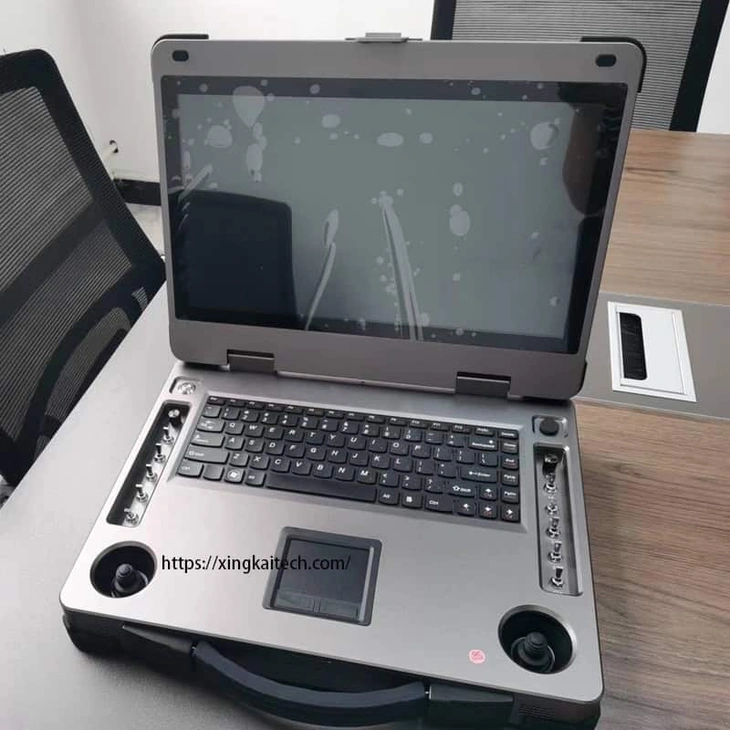
Consider a single 15.6-inch display and physical controls when a dual-screen layout is unnecessary.
Request a Configuration Quote for XK-G21
Tell us the operating system and PC configuration, required control output, proposed radio dimensions and quantities. Identify any radio, air unit, cables or other accessories you want included. Xingkai checks the proposed XK-G21 configuration and provides a quotation.