
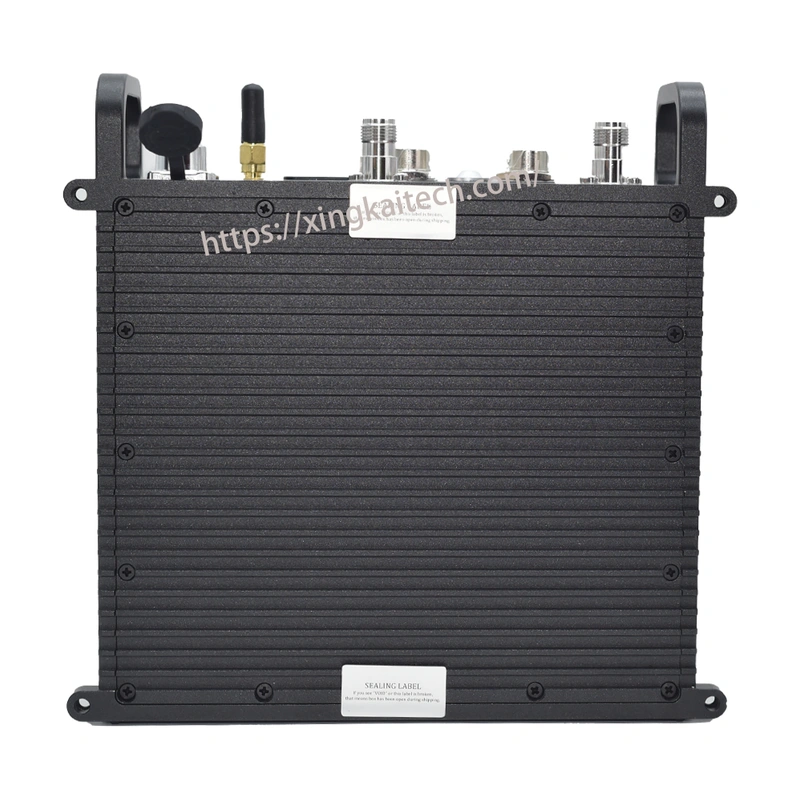
XK-M366 MIMO Wireless Mesh Radio
Specify an XK-M366 wireless mesh node for Ethernet video, data and compatible serial equipment. The website-listed dual-10 W configuration offers point-to-point, multipoint and relay layouts, giving a project more than one way to connect its terminal locations.
- 10 W × 2 RF output in the website-listed reference configuration.
- Ethernet 10/100Base-T and a selected serial arrangement connect network and terminal data.
- Point-to-point, multipoint and automatic relay modes support different node roles within the proposed network.
- Web-based management, GUI and API/SNMP interfaces provide ways to configure and manage the selected radio.
Appearance reference from the XK-M366 listing; the supplied model and hardware configuration are specified in the quotation.
XK-M366 MIMO Wireless Mesh Radio Overview
XK-M366 is offered as a MIMO wireless mesh-radio listing for projects carrying network data and multimedia traffic. Ethernet provides the path for IP equipment, while the chosen serial arrangement serves other compatible terminals. Point-to-point, multipoint and automatic relay modes let the proposed radio layout follow the locations that need connectivity.
The specifications below describe the XK-M366 website listing. The supplied model designation and hardware configuration are confirmed in the quotation. Its listed 14.8–24 V input and current figures apply to that reference configuration; installation dimensions, connector arrangement and accessories must correspond to the unit being ordered rather than another radio with a similar model number.
Technical Specifications
| Parameter | Listed configuration |
|---|---|
| RF output | 10 W × 2; website-listed reference configuration |
| DC input | 14.8–24 V; listed 10 W × 2 configuration |
| Operating current | 3–6 A at 14.8 V; listed reference configuration |
| Standby current | 0.7–0.9 A at 14.8 V; listed reference configuration |
| Waveform | Mobile Network MIMO |
| Channel bandwidth | 2.5 / 5 / 10 / 20 MHz; 40 MHz optional |
| Receive sensitivity | −103 dBm at 5 MHz bandwidth |
| RF connections | 2 × TNC; listed interface arrangement |
| Ethernet | 1–2 × RJ45, 10/100Base-T; selected port arrangement |
| Network layouts | Point-to-point, point-to-multipoint, multipoint-to-multipoint and automatic relay |
| Management | Web-based GUI; API/SNMP interface |
Connections and Integration
Use the selected M366 listing’s 10 W × 2, 14.8–24 V reference when describing the proposed node and available supply. Ethernet connects IP equipment; identify each serial terminal’s electrical interface so the quoted hardware and harness match the actual terminals.
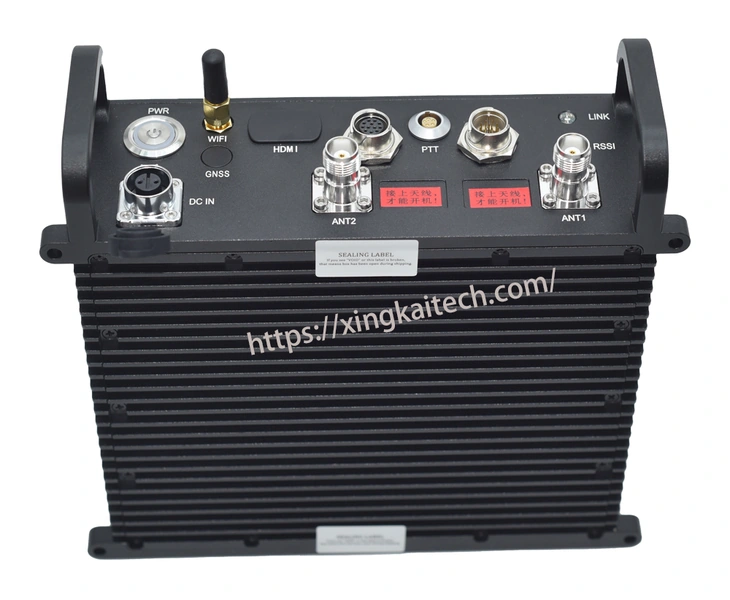
Xingkai checks the requested M366 designation, power arrangement and connection accessories together. The equipment list identifies the supplied hardware and any voice/PTT items; an enclosure or cable from another similarly named model does not define this installation.
Appearance reference from the XK-M366 listing; the supplied model and hardware configuration are specified in the quotation.
Configure and Order Your Mesh Nodes
Xingkai uses the node roles, terminal interfaces and available supply to identify the radio configuration and accessories for the quotation. Confirm the supplied scope, quantities and delivery terms before ordering.
Request M366 by its exact designation and send node roles, quantities and available supply for the website-listed 10 W × 2, 14.8–24 V reference. Identify Ethernet and serial terminals, their electrical interfaces and any equipment to be retained.
Xingkai checks the requested M366 hardware against that reference configuration and identifies the selected power, port and harness arrangement in the quotation. The supplied model designation and equipment list remain together, including any voice/PTT accessories and customer-owned parts.
Agree on the configuration, quantities and delivery terms.
Xingkai supplies and ships according to the confirmed order.
FAQs
Include the original order reference and the device identification recorded for the installed units. State whether the new radios are replacements or additional nodes, and keep the model and hardware description in the proposed equipment list. Compare that list with the new quotation so any changed version or connection arrangement is identified before quantities are confirmed.
Request the enclosure drawing, connector-exit clearances and weight basis for the hardware being quoted. The explicit mechanical entry in the selected M366 website table is under OEM; it does not identify the dimensions of a supplied enclosed assembly. Have the proposed form and installation drawing identified before committing mounting space. Do not fill the missing enclosure dimensions from F366 or treat the OEM entry as the complete radio.
Ask for the actual M366 frequency configuration and both matching TNC antenna paths to be identified. The selected website table includes L-band 1000–1500 MHz among several band entries; it does not establish the tuning range of one supplied unit. Provide your operating channels and other radios’ settings. Select the antennas and additional radios from the quoted band configuration, rather than treating the family band list as single-unit coverage.
For each proposed M366 node, show which video or data traffic originates there and which traffic it must forward, with simultaneous stream rates and directions. Mark the direct, multipoint and relay paths in one layout. Xingkai can use that traffic map to check the configuration and node quantities. Automatic relay is a listed mode, but does not establish that every proposed path carries the same combined application load; resolve that requirement before approving the equipment list.
Only the items identified in the quotation are included. List the camera’s output type, existing encoder and terminal interfaces. Xingkai can then distinguish the radios from the network cables, antennas and any separate video-interface equipment needed for your installation.
Compare Related Models
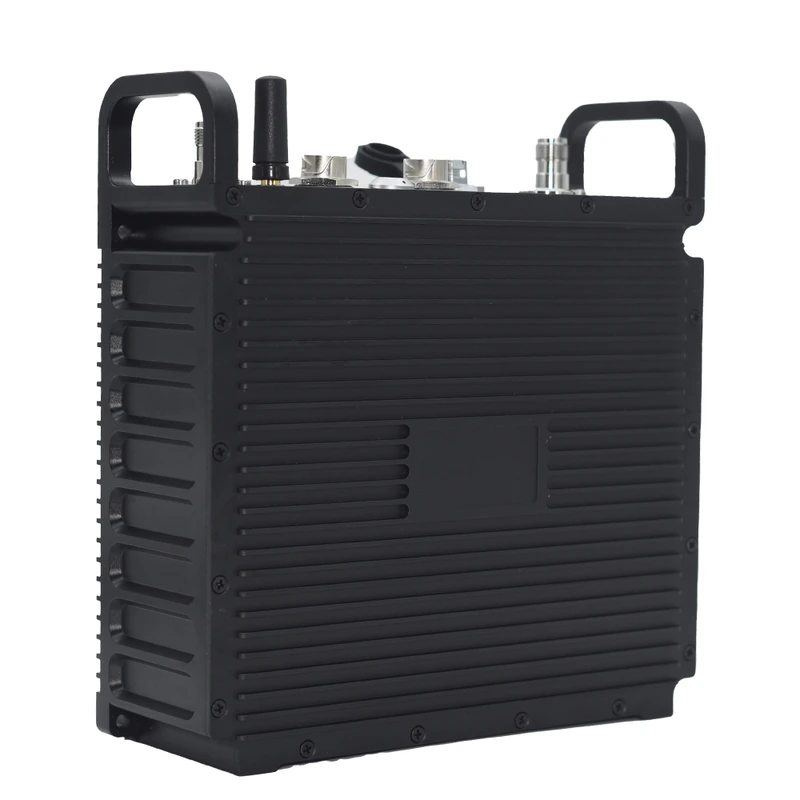
Vehicle mesh radio with two 10 W RF branches; compare the required vehicle power and mounting arrangement.
Appearance reference; the supplied hardware configuration is confirmed in the quotation.

Vehicle mesh radio with two 20 W RF branches for projects comparing vehicle-node configurations.
Appearance reference; the supplied hardware configuration is confirmed in the quotation.
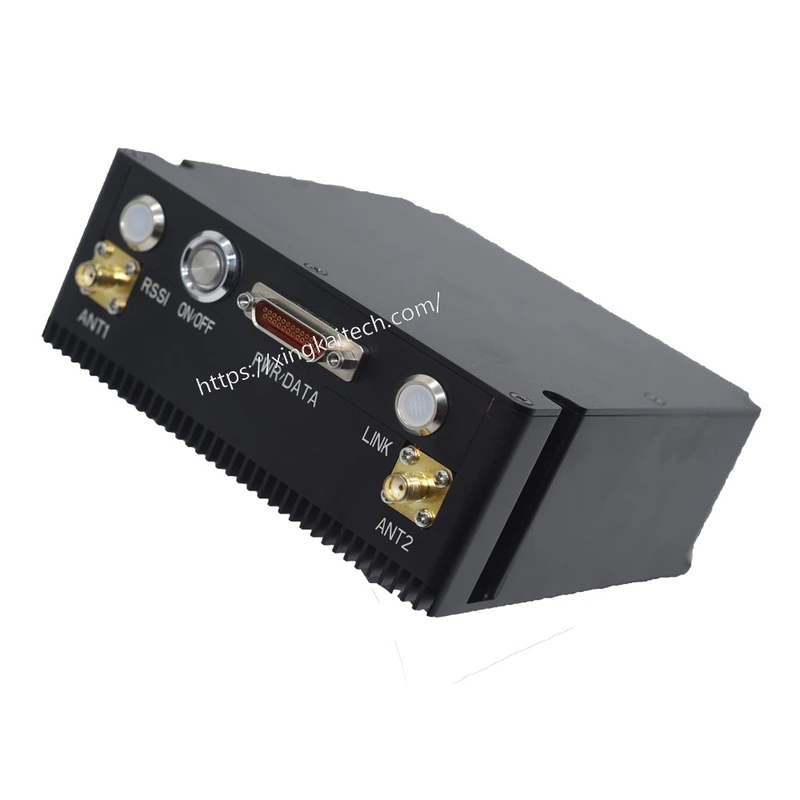
Dual-10 W airborne mesh-radio configuration with a specified enclosure and connection scope.
Appearance reference from the XK-M505E gallery; supplied dimensions and connections are specified in the quotation.

Mesh video and data radio with Ethernet, UART and SBUS connections for different terminal arrangements.
Request a Configuration Quote for XK-M366
Request XK-M366 by model designation and describe the node roles, terminal interfaces and quantities. Xingkai will identify the supplied hardware configuration and accessory scope in the quotation.