

XK-G30 Triple-Screen Ground Control Station
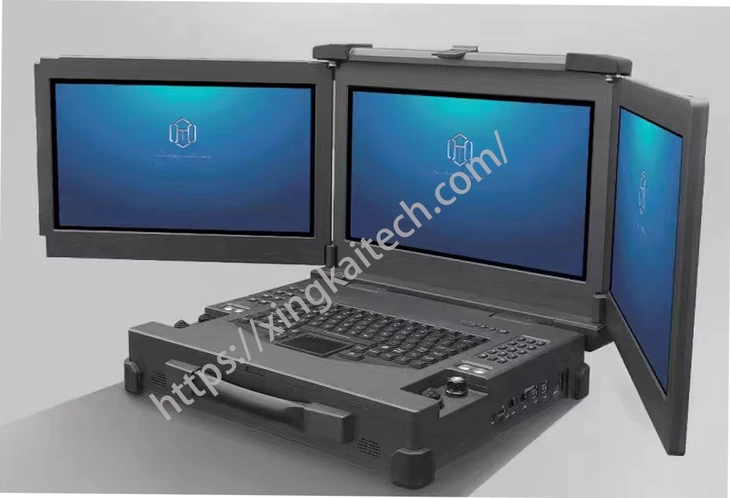
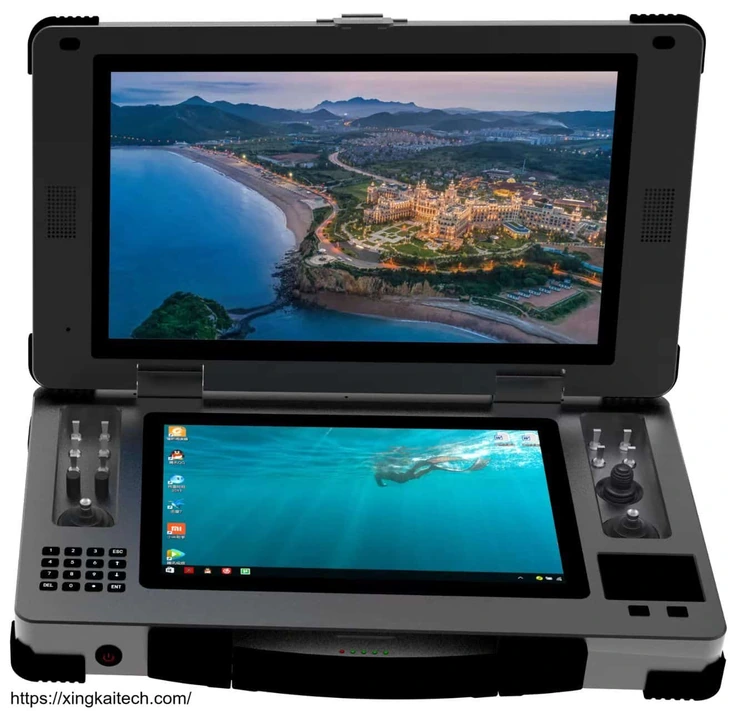
XK-G30 provides three 15.6-inch displays in a portable ground control workstation. For companies that need several views visible together, the display layout offers room for mission information, video and another working view without adding separate freestanding monitors.
- Three 1920 × 1080 displays are specified at 1000 nit, with 10-point capacitive touch for screen-based input.
- The listed PC configuration is Intel i7, 16 GB memory, a 256 GB SSD and Windows 10.
- Dual SBUS with 18 channels and USB-HID output pair physical control inputs with the chosen system.
- A standard keyboard and touchpad support PC operation; the listed 10 kg weight matters when planning transport and setup.
XK-G30 Triple-Screen Ground Control Station Overview
Choose the XK-G30 when the project benefits from three built-in display areas rather than repeatedly switching between views on one screen. Each 15.6-inch display is specified at Full HD resolution. The software determines which mission, video or data views occupy those areas.
The workstation combines a keyboard and touchpad with two flight joysticks, a thumb joystick, switches and knobs. These hardware inputs let a control project retain physical controls while using a PC interface for its working information. The listed configuration uses an Intel i7, 16 GB memory and a 256 GB SSD.
The aluminium-alloy chassis includes eight shock-absorbing silicone pads. At a listed 10 kg, the G30 is a workstation to carry and set up, rather than a lightweight handheld terminal. Xingkai checks the proposed software, display and control arrangement, then quotes the selected configuration and accessories.
Technical Specifications
The table describes the listed hardware configuration. The quotation identifies the configuration and accessories supplied for your order.
| Parameter | Listed configuration |
|---|---|
| Displays | 3 × 15.6 in; 1920 × 1080 |
| Touch input | 10-point capacitive touch |
| Display brightness | 1000 nit |
| CPU | Intel i7 |
| Memory | 16 GB |
| Storage | 256 GB SSD |
| Listed graphics | Intel 620 integrated graphics |
| Operating system | Windows 10 |
| Keyboard and pointer | Standard keyboard; touchpad with left/right buttons |
| Network | 1 Gigabit Ethernet port |
| External connections | 4 × USB; 1 × LAN; DC input |
| Control output | Dual SBUS, 18 channels; USB-HID |
| Physical controls | 2 flight joysticks; 1 thumb joystick; 8 three-position and 2 two-position switches; 2 knobs |
| Case material | Aluminium alloy |
| Weight | 10 kg |
| Operating temperature | −10 to +45 °C |
Connections and Integration
Control-panel layout reference.
The G30’s three displays, keyboard and touchpad form the workstation interface; SBUS or USB-HID provides the listed control-output options. The network and USB connections support the selected peripheral arrangement. Display count does not establish that a specific application can distribute its views across all three screens.
Xingkai checks the requested PC, display and control configuration for the quotation. Specify any receiver, external video source and additional graphics requirement so those components are identified separately from the listed integrated-graphics configuration.
Configure and Order Your Station
Describe the software and three-view layout, control output, peripherals and required quantities. Xingkai checks the XK-G30 station configuration and identifies the required accessories in the quotation.
Confirm the supplied hardware, accessories, quantities and delivery terms before ordering.
Send the software and three-view layout, control output, peripherals and required quantities. Identify the equipment already installed and the additional components you expect in the supply.
Xingkai checks the requested model and configuration, then quotes the station and agreed accessories.
Agree on the hardware configuration, accessories, quantities and delivery terms before proceeding.
Xingkai supplies and ships according to the confirmed order.
FAQs
Three physical displays do not guarantee three independent views in every application. Identify the software, version and the information you want on each screen. Check that the application and selected PC configuration support that arrangement. Xingkai uses those requirements when specifying the station; an order should not rely on screen count as proof of a ready-made software layout.
The technical table lists Intel 620 integrated graphics. An additional graphics requirement should be specified separately and identified in the quotation; a reference to possible graphics upgrades is not proof that a particular card is included. State the software workload and any required graphics hardware so the selected configuration is clear before you confirm the order.
No. Display areas and physical inputs have different roles. The G30 provides flight and thumb joysticks, switches and knobs alongside the keyboard and touchpad. Define which functions need direct physical input and what control format the connected system accepts. Xingkai checks that arrangement in the configuration quotation, without assuming that the software already maps every supplied control.
The 10 kg entry describes the station’s listed weight. A charger, antennas, cables, radio accessories or a separate remote unit can add to what your team carries. Identify the components required at the operating location and agree their supply scope. This lets the transport and setup plan use the complete selected equipment rather than only the terminal-weight figure.
For each planned display view, identify the video or data source, the receiver or connection path, and the application/version that will show it. Mark who supplies the receiver and application licence and who configures that view. Request one combined supply-and-setup list for the three-screen arrangement, with any shared equipment identified once. This makes missing receiver, application or licensing work visible without assuming three displays include three video receivers or licensed applications.
Compare Related Stations
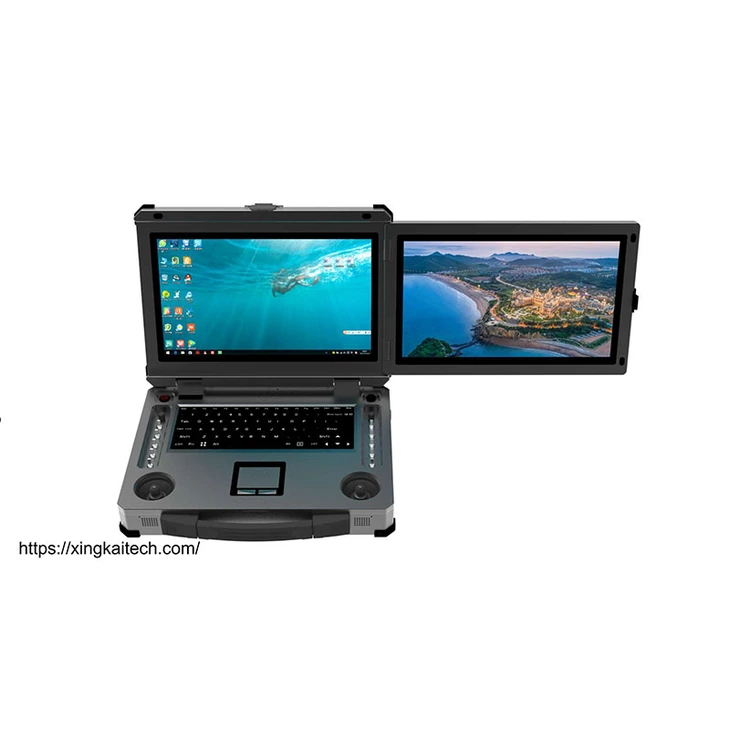
Dual 15.6-inch display areas with a keyboard and physical controls for projects selecting a PC-based ground workstation.
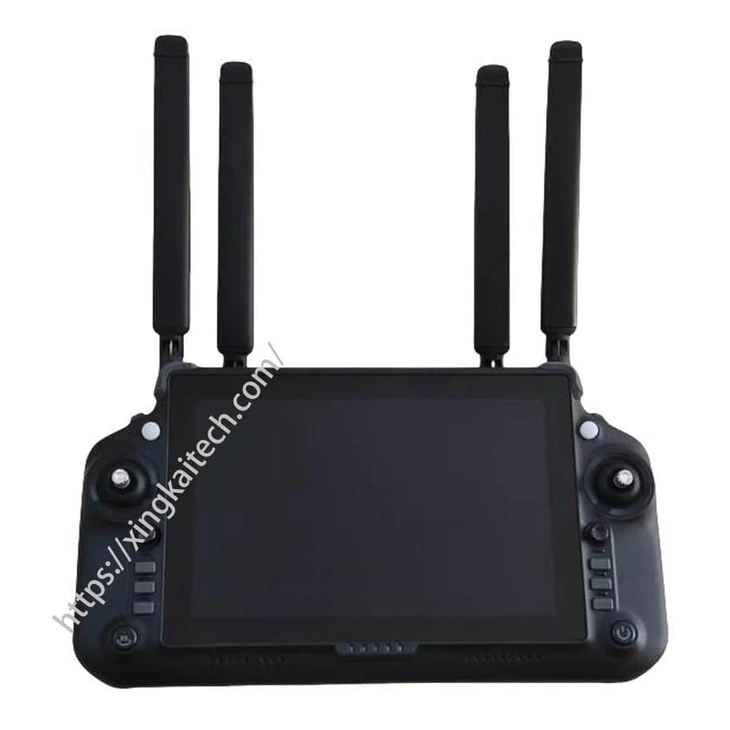
An RK3588-based terminal with an 8.4-inch touchscreen and selectable memory and storage for a different terminal configuration.
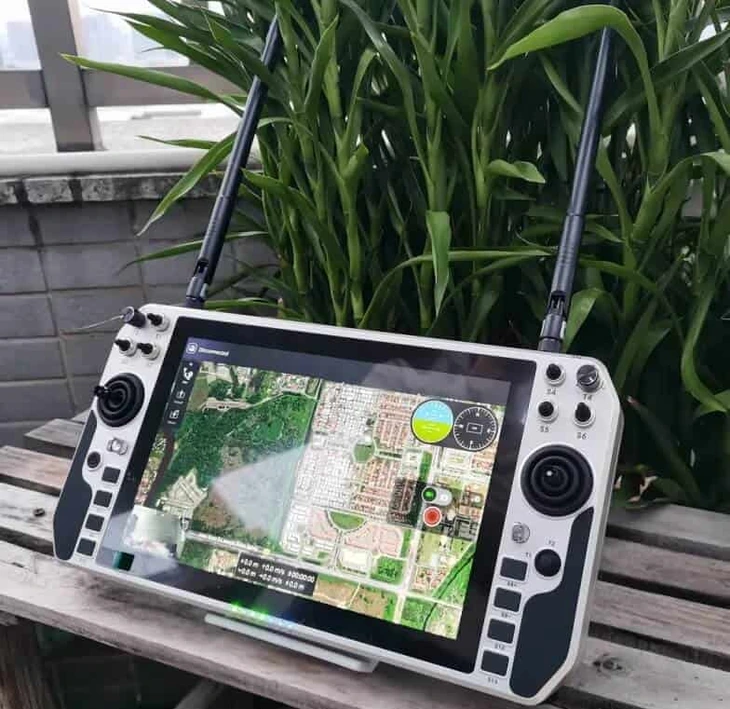
Compare a handheld ground control station when the operating position and carrying arrangement differ from a PC workstation.
Consider another portable ground control station and ask Xingkai to compare its display and connection configuration with your project.
Request a Configuration Quote for XK-G30
Tell us the software and three-view layout, control output, peripherals and required quantities. Include the connected equipment and any radio, receiver or application expected in the supply. Xingkai checks the XK-G30 configuration and provides a station and accessory quotation.