
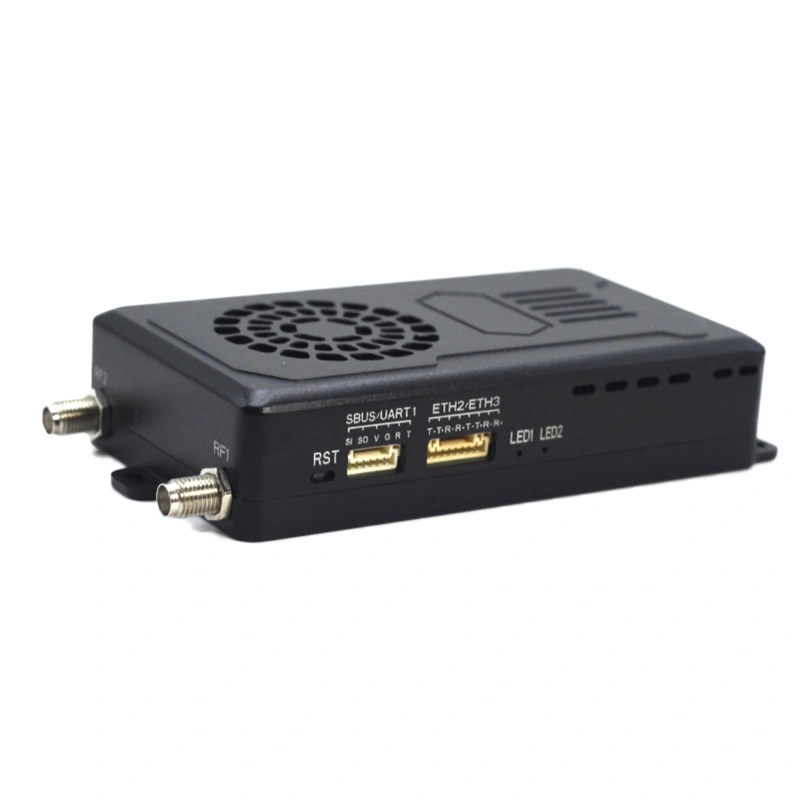
XK-301AE Wireless Video and Data Link
XK-301AE brings network video, serial telemetry and SBUS control into a compact platform-to-ground link. For projects with limited mounting space and payload allowance, its listed enclosure and power figures provide a practical basis for choosing the radio and its accessories.
- The listed 93 × 58 × 23.5 mm enclosure and ≤133 g device weight suit planning where the radio must fit alongside existing platform equipment.
- Ethernet video, UART data and SBUS control share the link, allowing the camera and control paths to be planned together.
- The website-listed 8–30 V DC input, nominal 12 V, and ≤7 W consumption at 25 dBm help define the radio power budget without implying a complete-system battery runtime.
- Point-to-point and point-to-multipoint relay layouts support different endpoint arrangements; Xingkai identifies the units and accessories in your quotation.
XK-301AE Wireless Video and Data Link Overview
XK-301AE is a compact wireless video and data link for businesses integrating camera, telemetry and control equipment. Its listed device weight of ≤133 g leaves the antennas, cables and mounting components to be counted separately, so the radio can be compared against the platform’s available payload allowance.
The listed configuration combines network data with UART in TTL or RS232 form and SBUS control. The radio handles the wireless connection; the camera output and any encoder or interface equipment determine how video reaches the network input. Xingkai uses the terminal connections and endpoint arrangement to specify the proposed radio and accessory list.
A nominal 12 V supply falls within the listed 8–30 V DC input range. The ≤7 W consumption entry applies at 25 dBm RF output and does not include other platform equipment. Use the selected equipment list when planning the complete installation power budget.
Technical Specifications
Listed XK-301AE configuration. The quotation identifies the supplied model designation, frequency configuration, radio units and accessories. The listed latency has no stated measurement conditions.
| Parameter | Listed configuration |
|---|---|
| Power input | 8–30 V DC; nominal 12 V |
| Power consumption | ≤7 W at 25 dBm |
| RF output power | ≤25 dBm, adjustable |
| Frequency options | 800 MHz / 1.4 GHz / 2.4 GHz, adjustable |
| Channel bandwidth | 3 / 5 / 10 / 20 MHz |
| Listed latency | ≤15 ms; measurement conditions not specified |
| Radio dimensions | 93 × 58 × 23.5 mm |
| Device weight | ≤133 g |
| Modulation | OFDM |
| Data/control interfaces | UART (TTL/RS232), SBUS |
| Antenna references | Air unit: 2.5 dBi; ground unit: 7 dBi |
| Communication protocol | IEEE 802.3; transparent serial data |
| Link modes | Point-to-point; point-to-multipoint relay |
| Rated operating temperature | −30 to +60 °C |
| Rated storage temperature | −40 to +75 °C |
Connections and Integration
Use the network connection for IP video, UART in the selected TTL or RS232 form for serial terminal data, and SBUS for control data. These are separate terminal paths sharing the wireless link.
The serial electrical format and wiring must match the connected equipment; a similar connector does not establish compatibility. The product page describes ground-station data exchange through serial connections or a network connection using UDP/TCP.
For an HDMI or SDI camera, Xingkai needs the camera output details to identify the network-video arrangement and any separate encoder or conversion equipment. The quotation should distinguish these accessories from the radio itself.
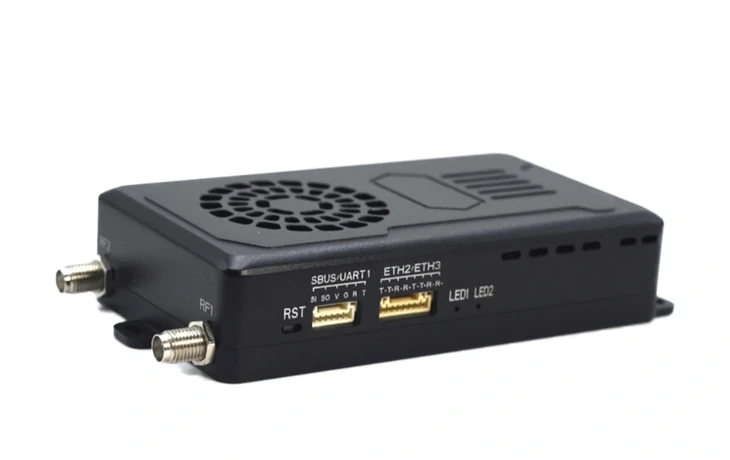
Configure the Compact 301AE Radio and Its Connections
Specify the radio band, serial electrical level and the equipment that must fit beside the 301AE. The quotation identifies the radio configuration, endpoint quantities and accessories for your compact installation, with any external video encoder separately listed.
Provide the network camera or encoder, UART TTL or RS232 terminals and any SBUS connection. State the requested 800 MHz, 1.4 GHz or 2.4 GHz configuration, channel bandwidth, available supply, mounting allowance and quantities by endpoint role.
Xingkai checks the requested band and bandwidth against the terminal connections and endpoint layout. The quotation identifies the selected radio, serial level, cables and antennas, with any requested encoder or other accessories separately identified.
Check the 93 × 58 × 23.5 mm radio and ≤133 g device allowance alongside your other onboard equipment. Confirm the 8–30 V DC supply and radio consumption of ≤7 W at 25 dBm, then agree the configuration, quantities, accessory list and delivery terms.
Xingkai supplies and ships the confirmed 301AE radio configuration and listed accessories according to the order, with the agreed quantities for each endpoint role.
FAQs
Ask for the complete XK-301AE model designation, selected frequency configuration and serial electrical format, together with the radio-unit quantities and accessory list. These details identify what the order covers. If the link will be added to existing equipment, include the installed model and version information so Xingkai can check the proposed pairing rather than assume compatibility from a shared frequency band.
A camera with a suitable network-video output may avoid a separate encoder. An HDMI or SDI camera needs an external network encoder, so reserve its own mounting space and power as well as the 301AE radio allowance. Send the camera output details, encoder model if already selected, available space and spare power. Identify whether to retain your encoder or request one separately in the quotation before committing the installation layout.
Start with the radio’s listed device weight of ≤133 g, then add the selected onboard antennas, cables and mounting components using their individual weights. Keep ground equipment on a separate list. This gives the platform installation total for comparison with the available payload allowance; the device-weight entry alone does not describe a complete installed link.
The source technical table lists ≤15 ms without defining the measurement method. It should not be treated as a guaranteed camera-to-screen delay: the camera, encoding, network settings and display also form part of that path. Specify the video equipment and required end-to-end response when requesting a configuration, so the required test arrangement can be agreed for the project.
Separate the units already installed from those you want to add, and identify each air-unit and ground-unit role. State how many endpoints need to operate together and what video, telemetry or control data they will carry. Xingkai uses that arrangement and the existing unit details to specify the proposed addition and accessories. Confirm the proposed pairing and the required acceptance checks in the order; a listed point-to-multipoint mode does not establish interchangeability with every installed radio.
Compare Related Models

Compare its 96 × 78 × 19 mm enclosure and ≤190 g device weight when considering a compact radio installation.

Consider its TTL, RS232 or RS485 interface choices and nominal 16.8 V configuration for another terminal arrangement.

Compare the 175 × 130 × 30 mm enclosure and ≤810 g device weight where a larger installation is possible.
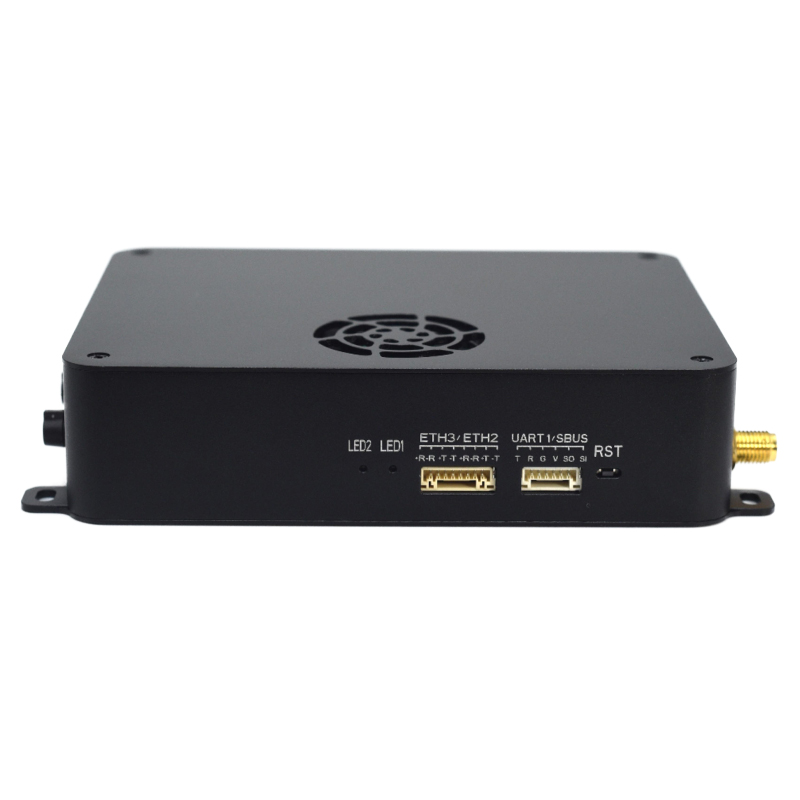
Review its 115 × 92 × 28 mm footprint and request the exact electrical configuration for your proposed link.
Request a Configuration Quote for XK-301AE
Send the camera and serial-terminal details, requested band and available installation space for your 301AE project. Include the supply, endpoint roles and separate unit quantities. Xingkai will identify the radio configuration and required accessories in the quotation, including any separately requested video encoder.