
A radio link that works while two vehicles are parked may behave differently once they move apart or a building blocks the direct path. If several vehicles, unmanned platforms, or field teams need to share video and data as they move, the question is how those connections will change along the route.
A MANET can let nearby radios relay traffic for one another and adapt to changing connections. That makes it worth considering for mobile, multi-node projects, but it does not remove the need for usable radio paths. Before choosing an IP mesh radio, start with where the nodes will move and what data must reach each destination.
What Is a Mobile Ad Hoc Network?
MANET stands for mobile ad hoc network: a wireless network in which mobile nodes communicate without relying on fixed network infrastructure. Nodes can also forward traffic for others, allowing communication over multiple radio hops when a direct link is unavailable.
The defining feature is how the network handles changing connections between nodes. A device described as a “wireless data link” may provide only a direct connection or depend on a central radio. If your project needs devices to relay each other’s traffic while moving, ask specifically for that capability rather than treating every wireless radio as a MANET radio.
How Does a MANET Work?
A MANET discovers neighboring nodes and establishes paths for data to reach its destination. As connections change, its routing system updates those paths. Three functions explain what this means in a deployment: forming the network, forwarding traffic through other nodes, and finding another route when a link is lost.
Self-Forming Networks
Self-forming means compatible nodes can discover one another and establish network connections without an operator manually building each route. It does not mean that any radio can join with its factory settings. Frequency, waveform, network settings, and any required access credentials must be compatible.
For a mixed fleet, settle the radio configuration before ordering additional nodes. Buying another unit with the same frequency label does not establish that it will join the existing network. A known, compatible configuration gives the team a repeatable starting point when adding a vehicle or replacing a damaged radio.
Multi-Hop Communication
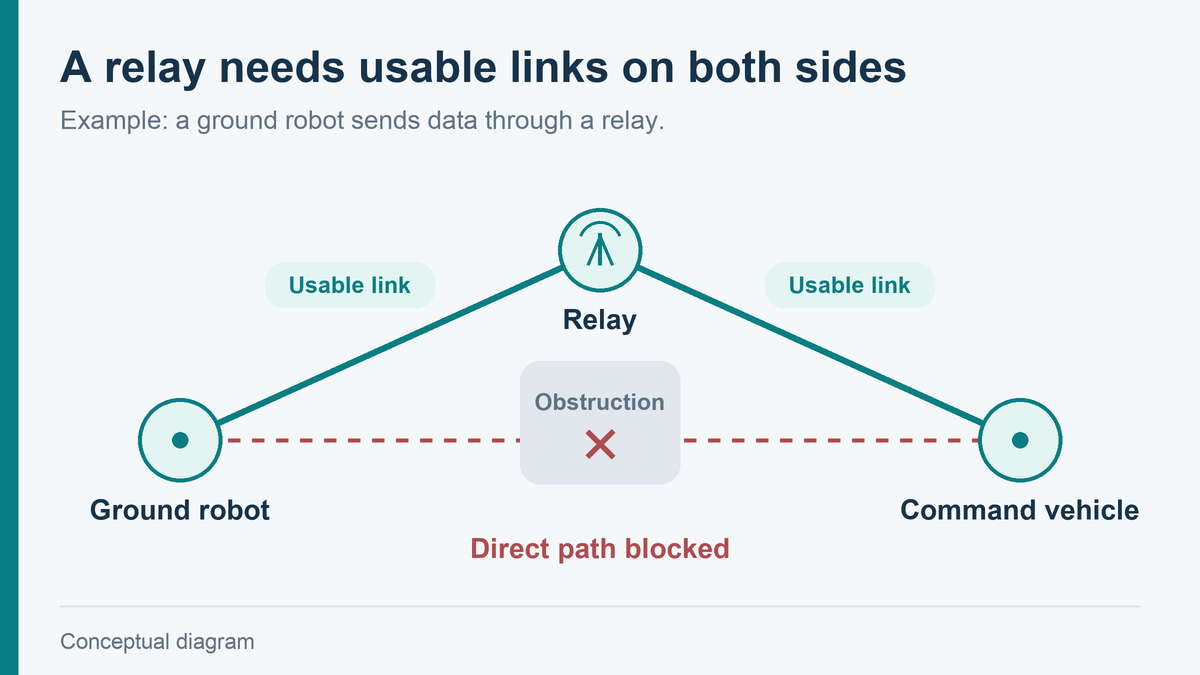
Multi-hop communication lets data pass through intermediate radios. Consider a proposed three-node network: a ground robot cannot reach the command vehicle directly, but both can reach a relay placed on higher ground. The robot can send its data through that relay, provided the equipment supports the required forwarding and both radio links are usable.
This creates another way around a coverage gap; it does not make a signal pass through every obstruction. The relay’s location matters because it must maintain the links on both sides. Placing it beside the command vehicle may add no useful coverage if the same obstruction still blocks the robot.
Forwarding also uses radio capacity. On a shared channel, traffic that must be received and retransmitted consumes airtime along its path. More hops can therefore change usable throughput and delay. There is no universal percentage loss that applies to every MANET: channel arrangement, link quality, traffic, and the radio implementation all matter.
Self-Healing Networks
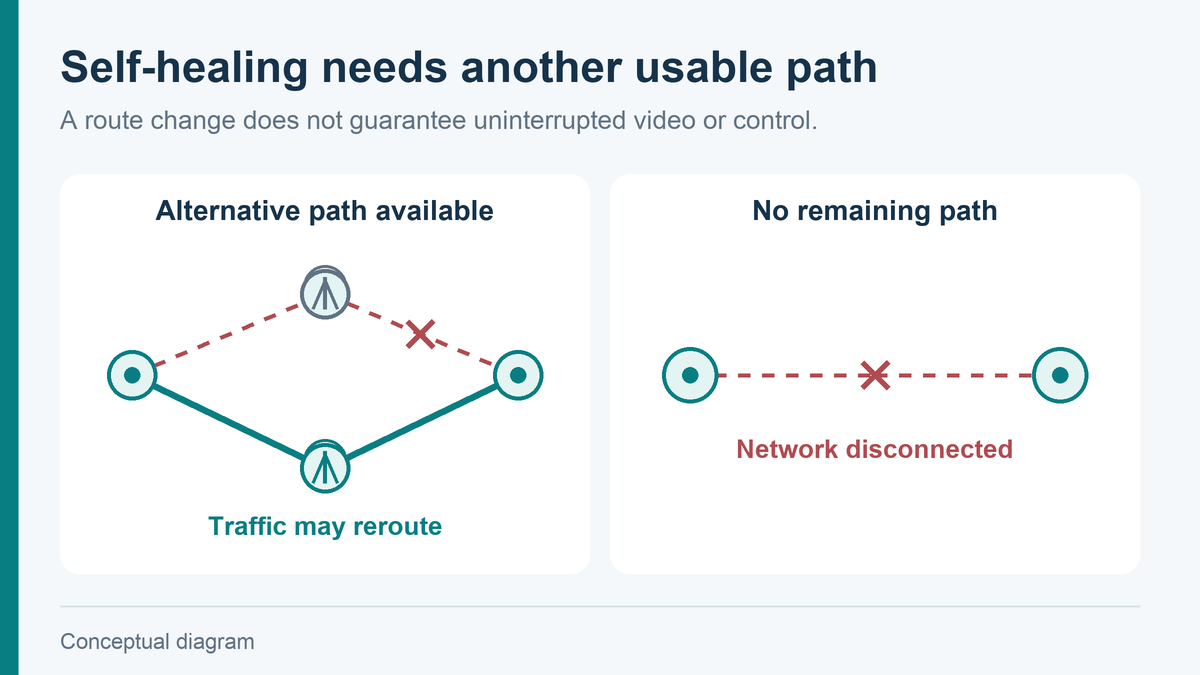
Self-healing means the network can adapt its routes when a connection changes or a node leaves. For example, if two relay paths were available and one is lost, traffic may be rerouted through the remaining path.
An alternative path must still exist. If the only relay between two groups goes offline, the network can split into disconnected parts. Self-healing cannot restore a radio link where no usable path remains. For routes where loss of communication would stop the task, plan a second usable path rather than relying on the self-healing label alone.
Route changes can also interrupt the application. Recovery depends on the radio system and network conditions, so “self-healing” should not be read as a promise of uninterrupted video or control.
What Are MANETs Used For?
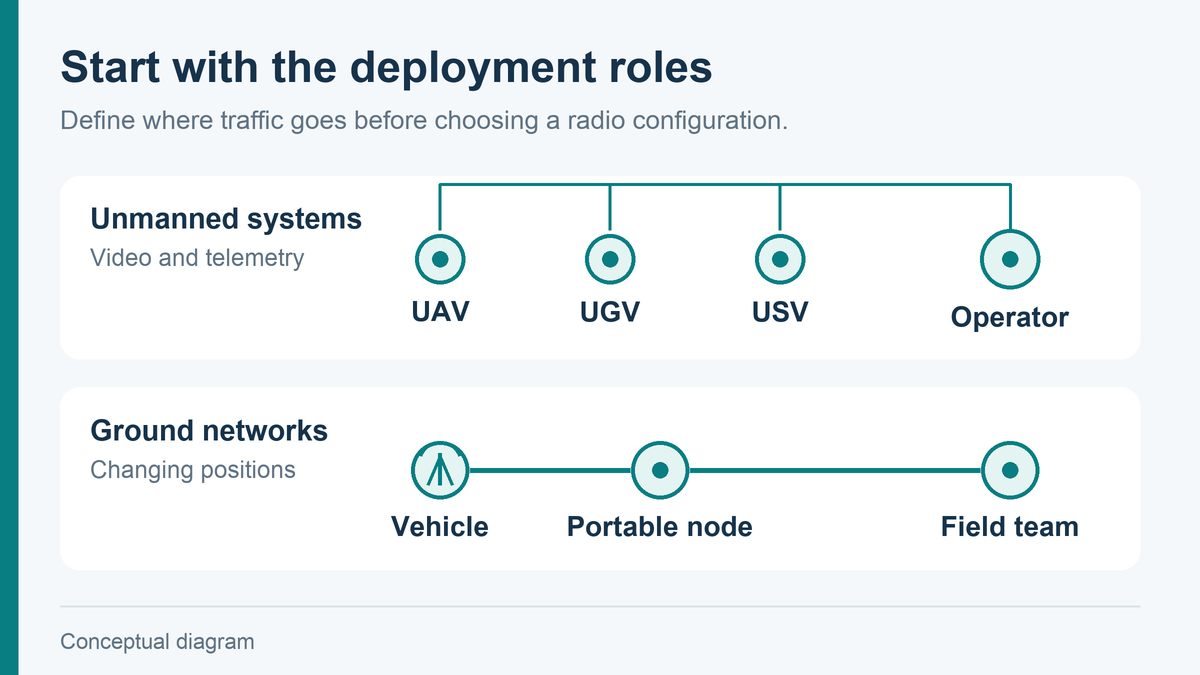
MANETs are used where moving nodes need to exchange data and fixed infrastructure is unavailable, impractical, or insufficient for the task. Relevant projects include unmanned systems and temporary ground networks, though the traffic requirements can differ substantially.
For unmanned systems, an IP network can carry camera feeds and telemetry between platforms and operators. Whether it also carries control data depends on the platform interfaces and integration. A UAV, UGV, or USV project should identify which traffic goes to a central station and which must pass between platforms. Several drones sending video to one receiver do not automatically need the same topology as robots exchanging information with one another.
Ground networks can connect vehicles, portable stations, and personnel as their positions change. A vehicle may provide a relay between groups, while a portable node serves a team working away from it. Here, the useful question is which connections must survive movement, rather than how many radios can appear on a network diagram.
The equipment also has to fit the deployment. Xingkai’s Mesh product materials include airborne modules, handheld, vehicle-mounted, and backpack forms. These forms address different installation needs; their appearance alone does not establish shared firmware, interoperability, or identical network performance.
When Should You Choose a MANET?
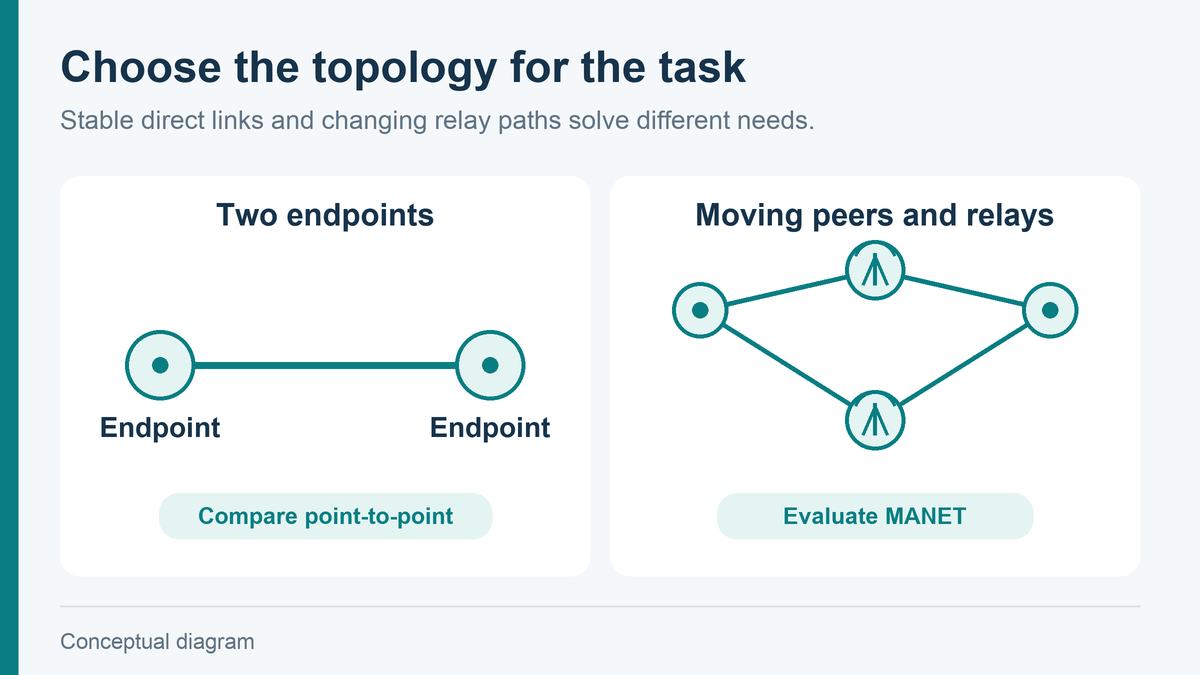
Consider a MANET when several nodes must communicate while their connections change, and relaying through other nodes has a practical role. It is especially worth evaluating when the deployment cannot depend on a fixed access point or base station along the whole route.
Use the following distinctions to narrow the first comparison:
| Project condition | Where to start |
|---|---|
| Mobile nodes need changing relay paths or communication with several peers | Evaluate a MANET using the planned node layout and traffic. |
| Two endpoints need a stable direct link | Compare a point-to-point radio first; mesh routing may add little value. |
| A fixed site already has suitable network coverage | Compare use of that infrastructure before adding another radio network. |
| Nodes will remain beyond every available radio path | Change relay placement or consider another connection method; routing alone cannot close the gap. |
The choice is about the communication task, not whether mesh is the more advanced product. Decide which topology the project needs before comparing radio power or advertised range.
How Do You Choose a MANET Radio?
Choose a MANET radio by matching its tested network behavior to the route, traffic, and installation. Start with a sketch showing the moving nodes, likely relay positions, and data destinations. That sketch makes differences between candidate configurations easier to assess than a comparison of headline specifications alone.
Check Coverage Along the Actual Route
Mark where direct paths will be blocked and where a relay can realistically operate. Record antenna positions and heights, not just the distance between endpoints. A relay on a parked vehicle has different coverage constraints from one mounted above nearby obstacles.
Use range claims only with their stated conditions. An air-to-ground line-of-sight figure does not establish the distance available between low-mounted ground radios behind buildings. For the first trial, use antenna mounting and cable arrangements representative of the final installation; a convenient test position can hide a coverage problem that returns after integration.
At locations where the link becomes unreliable, first examine the path and antenna placement. Increasing transmitter power may not solve the underlying obstruction or improve the return link enough. If a relay is needed, identify a position that connects both sides before moving to a larger radio.
Test Throughput, Latency, and Recovery Under Load
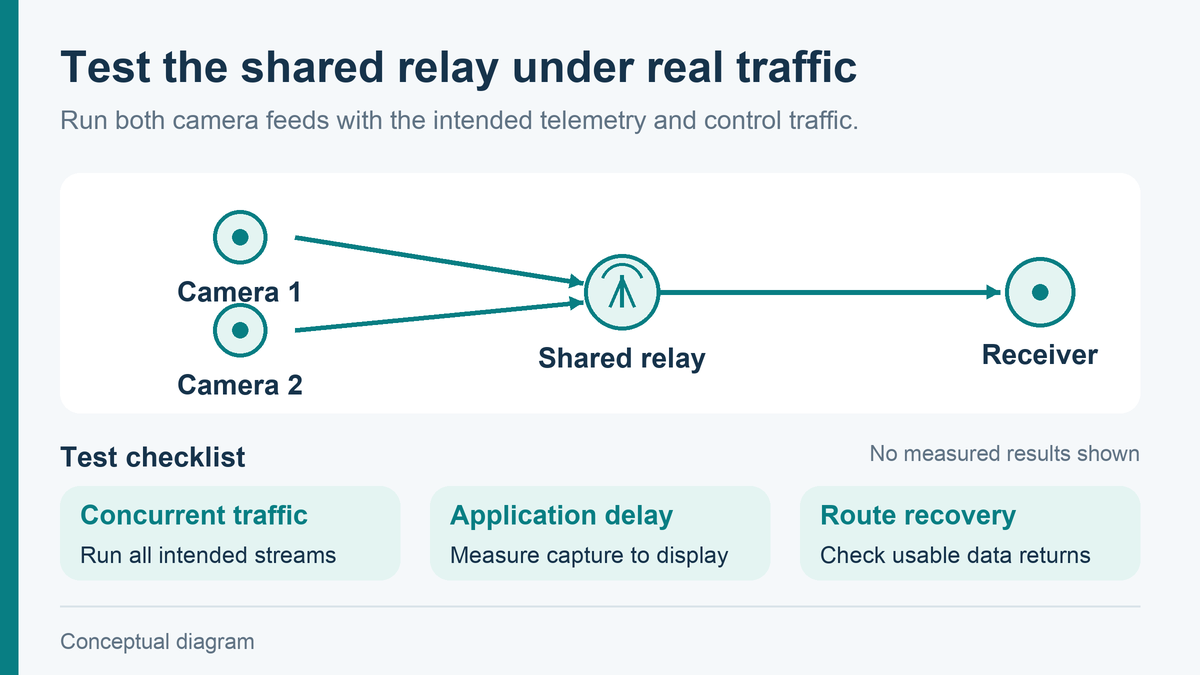
Test the candidate radios with the traffic your project will actually carry, across the longest relay path you expect to use. A single-hop speed test will not tell you whether several video streams and telemetry links remain usable when they share a relay.
For example, in a proposed ground-robot network, two robots might send camera feeds through the same vehicle-mounted radio. Run both feeds together at the intended encoder settings, alongside the telemetry and control traffic. Measure the data arriving at the receiving application and the delay from camera capture to display. A radio’s advertised data rate or single-hop latency does not describe that complete video path.
Then test a route change while the traffic is running. With an alternative path available, take the active relay offline and record how long the receiving application loses usable data. Check whether video resumes automatically and whether control traffic meets the application’s requirements during recovery. A network display showing a new route is useful, but it does not establish that the application has recovered.
Set the acceptance limits from the intended task before testing. Live video used to steer a robot needs a different delay and interruption allowance from a feed used only for observation. If the alternative path cannot carry the required traffic, reduce the video load, improve relay placement, or compare another radio configuration before committing to the deployment.
Match the Radio to Your Platform and Network
For a small airborne platform, begin with installed weight, available power, cooling, and antenna mounting space. A more powerful radio is a poor choice if the platform cannot support its electrical or thermal load. For vehicle-mounted equipment, check the actual supply and installation environment rather than assuming every vehicle provides the same power conditions.
Next, match the interfaces to the payload and controller. An Ethernet connection for an IP camera is different from a serial connection for telemetry. Identify the physical connector, electrical interface, and supported data handling for the proposed hardware version; a connector that fits does not establish protocol compatibility.
Finally, check how authorized nodes join, how encryption keys are configured, and how a lost node can be removed. A named encryption algorithm does not by itself describe network access control. Keep these settings with the selected hardware and firmware configuration so replacement units can be checked against the same requirements.
Discuss Your IP Mesh Radio Requirements
Send Xingkai a simple node layout showing where the radios will operate and which devices need to exchange data. Include the expected video streams or other traffic, the longest likely relay path, and the platform’s power, weight, and interface limits.
Xingkai supplies MIMO Mesh radio equipment in several installation forms. Those project details give us a starting point for discussing a suitable IP mesh radio configuration and the specifications that need checking before a trial. Any proposed range, capacity, or recovery performance should remain tied to that configuration and its test conditions.
Frequently Asked Questions
Does a MANET Need an Internet Connection?
No. A MANET can carry traffic between its own nodes without internet access. If the project also needs a remote server or off-site operator, it needs a suitable connection beyond the local network, such as an internet gateway. Establish whether the application depends on that external service before treating local radio connectivity as sufficient.
Is MANET the Same as Wi-Fi Mesh?
The terms overlap, but they are not interchangeable product specifications. Wi-Fi describes a family of wireless technologies, while MANET describes mobile ad hoc networking. A home Wi-Fi mesh product is not evidence of suitability for moving outdoor platforms. Compare the system’s supported mobility, radio conditions, and topology rather than choosing by the word “mesh.”
Can MANET Radios from Different Manufacturers Work Together?
Do not assume direct over-the-air interoperability. Radios need compatible waveforms and network implementations, as well as matching configuration. Sharing a frequency band or having Ethernet ports is insufficient. An Ethernet gateway may connect two separate networks without making their radios members of one MANET; specify which kind of connection the project requires.
Is MIMO the Same as MANET?
No. MIMO uses multiple transmit and receive antennas to support radio-link performance. MANET concerns how mobile nodes form a network and route traffic. A radio can use MIMO within a MANET, but a MIMO label alone does not establish multi-hop or self-healing capability.
Technical References
- RFC 2501: Mobile Ad hoc Networking—Routing Protocol Performance Issues and Evaluation Considerations: network characteristics and performance evaluation.
- Cisco: Mobile Ad Hoc Networking: self-forming and self-healing mobile networks.
- Cisco: Wireless Mesh Network Components: examples of Wi-Fi mesh equipment and MIMO radio technology, rather than specifications for Xingkai products.


