
XK-ADS012 RF Drone Detector
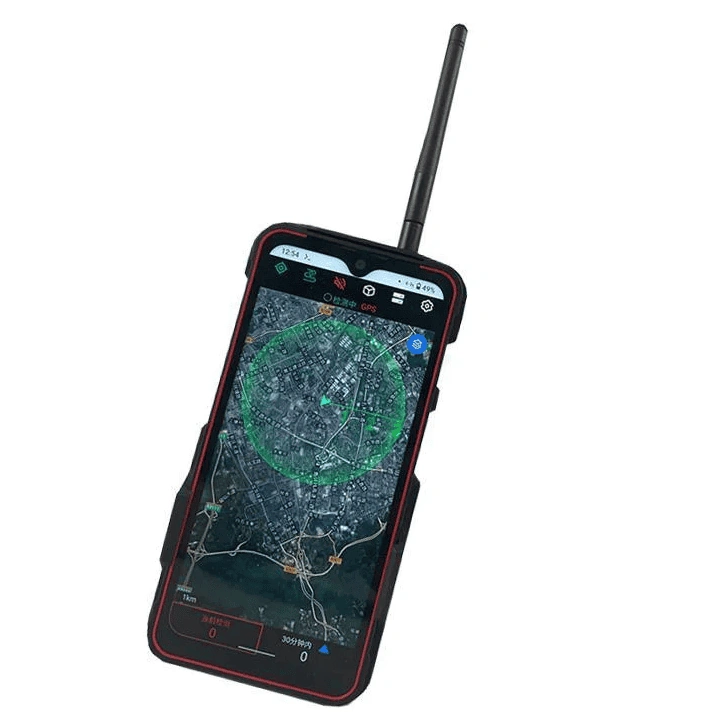
XK-ADS012 combines RF drone detection and identification with an Android touch-screen interface. For companies purchasing equipment to monitor drone activity, its alerts and event records support both awareness during an incident and review afterwards.
- A 6-inch capacitive touch screen puts detection information on the device.
- A built-in lithium-polymer battery supports portable use.
- Sound and light alerts draw attention to detected drone activity.
- Event logs, playback and statistical reports retain information for later review.
Xingkai checks the model and supplied configuration against your monitoring requirements, then provides a quotation.
XK-ADS012 RF Drone Detector Overview
XK-ADS012 is an RF drone detector for companies that need to recognise drone activity and retain a record of detected events. The built-in screen and battery bring the display and power supply into the device, while sound and light alerts indicate detected activity.
The software includes blacklist and whitelist functions, a GIS display, event logs, playback and statistical reporting. Logs retain information such as alarm time and frequency, so an alert can be revisited rather than relying only on what was seen on the screen at the time.
Xingkai checks your requirement against the model and configuration before quoting. For a purchase based on particular drone types, name those types in your enquiry so identification support can be addressed in the proposed supply.
Technical Specifications
Specifications describe the listed XK-ADS012 configuration. Drone identification depends on the supported signals and software database; the frequency range does not mean every drone can be identified.
| Parameter | Listed configuration |
|---|---|
| Detection method | RF detection and drone identification |
| Detection frequency range | 300–6000 MHz |
| Display | 6-inch capacitive touch screen |
| Operating system | Android |
| Power supply | Built-in lithium-polymer battery |
| Network connection | WiFi hotspot |
| Antenna type | Omnidirectional |
| Rated operating temperature | −20 to +45 °C |
| Event functions | Log, playback and statistical reports |
| Alerts | Sound and light |
| Identification management | Blacklist and whitelist functions |
| Map display | GIS display of surroundings and equipment locations |
Onboard Monitoring and Event Review
ADS012 puts the Android interface on its 6-inch touch screen, so detection review can start on the device. Use the GIS display to view surroundings and equipment locations; event playback lets you revisit a recorded alarm with its angle, time and frequency information.
A WiFi-hotspot connection is listed alongside these onboard functions. For an external monitoring platform, specify the information it needs to receive; a data-export format or software interface must be established separately before including that connection in the supply scope.
Specify the ADS012 Detection and Software Scope
Base the ADS012 purchase on the drone types to be recognised and the software/database version proposed for supply. Confirm that scope alongside the detector, omnidirectional antenna arrangement and charging equipment, rather than treating the frequency range as a recognition list.
List the drone brands and exact models to be recognised, the event-review requirements and any external-platform requirement. Include unit quantities and the delivery destination.
Xingkai checks the named drone types against the proposed model and software/database configuration, then quotes the detector and specified equipment. Ask for the supported model scope and supplied version to be identified with that quotation.
Agree the ADS012 equipment and accessory list, software/database version and supported model scope. Confirm any update terms and delivery conditions before placing the order.
Xingkai arranges supply and dispatch of the specified ADS012 equipment according to the confirmed order.
FAQs
Ask for a model-by-model support response tied to the ADS012 software and database version proposed for supply. Use the exact aircraft model names, rather than accepting a brand-wide description as the answer. Where a model is not confirmed, agree whether it is outside the purchase scope or requires a separately agreed update before relying on it.
State the required distance and the conditions where the equipment will be used. The published detection-distance descriptions refer to supported database models in open, flat, unobstructed areas; they are not an assurance of the same coverage at every site. Xingkai checks the requirement when specifying the quotation, and any project-specific acceptance conditions should be agreed before ordering.
The listed detector has a built-in lithium-polymer battery and uses an omnidirectional antenna. Confirm the actual antenna supplied, the charging equipment and the detector quantity on the quotation; battery operation does not identify a charger model or establish operating time. If you need additional charging equipment for the way units will be used, list it separately so it is included only when agreed, alongside any external connection equipment.
Free or indefinite updates are not assumed. Confirm the supplied database and software version, the available update method and any update charges or service period in the quotation. These terms matter if future support for additional drone models forms part of your purchasing decision, and should be agreed alongside the equipment configuration.
The listed XK-ADS012 functions are RF detection, identification, alerts and event recording. An alert or an identification result does not establish the ability to interfere with or take control of a flight. Specify the detection and reporting functions you require in your enquiry so the quotation addresses this equipment’s documented role.
Other Xingkai Camera Products
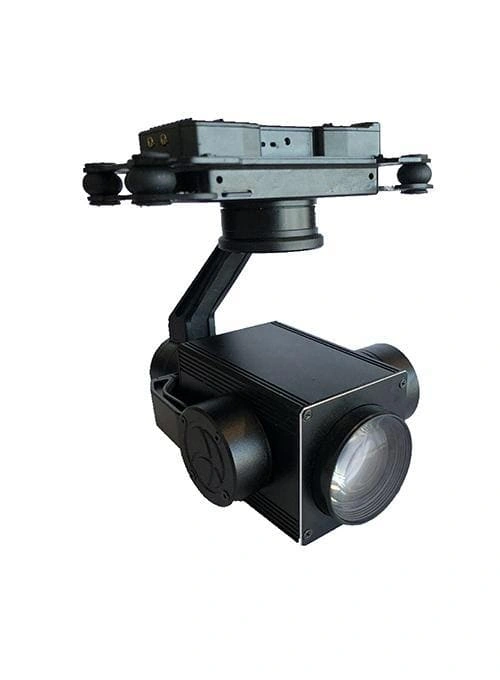
Visible-light zoom gimbal camera for a separate imaging requirement. Ask about the camera configuration independently of XK-ADS012.
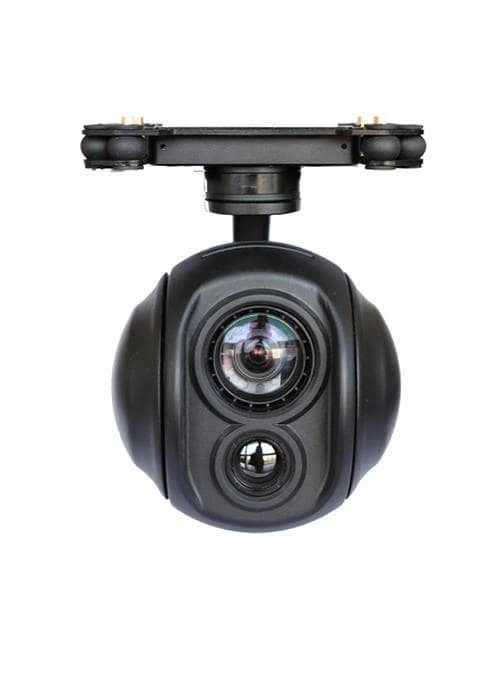
Starlight gimbal camera with IP video output for separate low-light imaging projects. Detector-to-camera integration is not assumed.
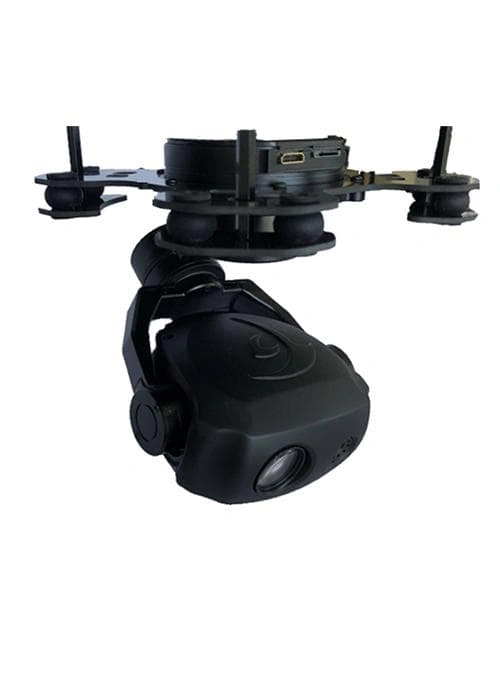
Visible-light and thermal gimbal camera with RTSP video output. Consider it as separate imaging hardware, with its own connection requirements.
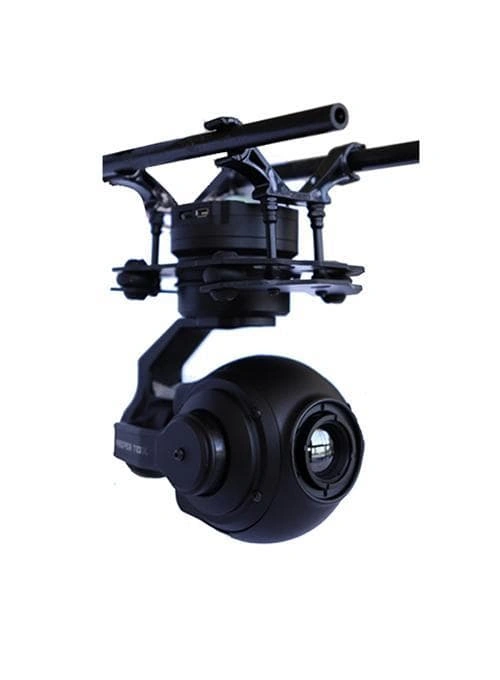
Visible-light and thermal gimbal camera with HDMI output. Specify it separately when the imaging project calls for this output type.
Request an XK-ADS012 Quotation
Which drone models must your monitoring team recognise? Send that list and the number of portable ADS012 units required. Xingkai will check the proposed detection and software scope and provide an equipment quotation.